This guide explains why year-end report video content matters and how companies can plan video, photography, event, and content assets that support real business use.
By Motlow Pro Media·Tampa, FL
Your year-end report already holds your strongest proof points. Video is how you get people to actually see them. Corporate teams are being asked to create clearer, more useful content across more channels, and the annual report is a practical place to start.
Here’s what you need to know right away:
What it is: turning annual performance updates into short, useful videos for leadership, clients, employees, and sales.
Who it’s for: corporate marketing and communications teams.
Why it matters: the best numbers a company has can disappear inside a PDF if nobody translates them.
When to plan it: early, so the same production supports more than one deadline.
For corporate marketing and communications teams, the challenge is not simply producing another asset. The real goal is to turn annual performance updates into useful video assets for leadership, clients, employees, and sales while keeping the message organized, consistent, and easy to reuse.
When the work is planned early, production becomes more efficient. Through Motlow Pro Media’s corporate video, photography, event production, livestreaming, and content strategy services, companies can turn one planning moment into a stronger media system for the year ahead.
The best video does not repeat every chart. It identifies what the numbers mean and why the audience should care. Review the report for the ideas that explain:
Progress and change
Investment
Client value
Team performance
Market direction
Choose the Right Speakers
A clear voice with real context is more useful than a formal narration that simply reads the document. Good options include:
Leaders
Department heads
Customer-facing teams
Subject experts
Turn Sections Into Short Video Topics
Break the report into focused themes. Each one can become a short clip instead of one long video:
Growth
Customer impact
Innovation
Employee progress
Community involvement
Event performance
Goals for next year
Use Visuals to Make the Report Easier to Understand
The viewer should get the takeaway quickly without studying the original report. Pair interviews with:
Charts and simple graphics
B-roll and event footage
Photography
Team visuals
Repurpose the Footage Across Channels
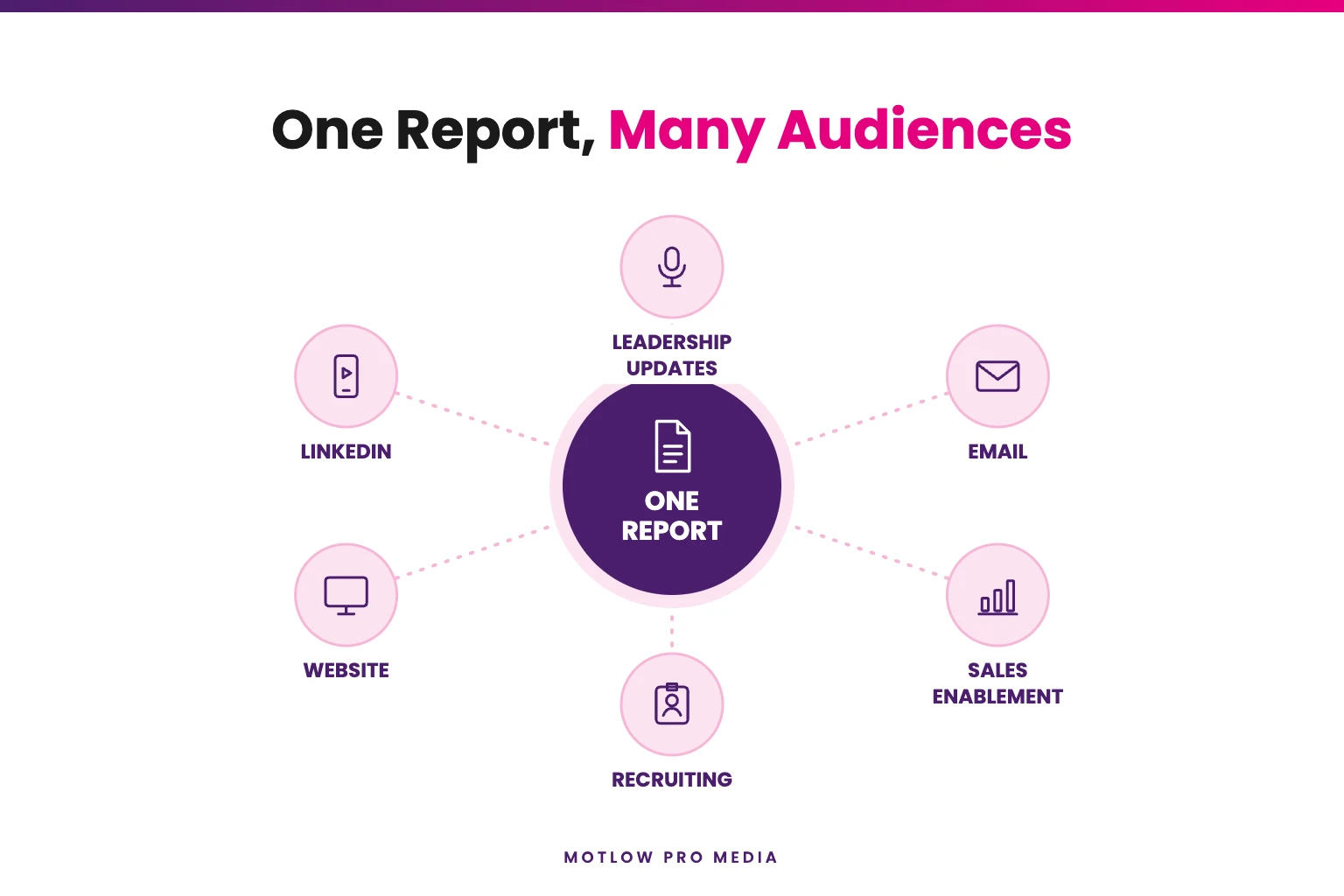
One report can support several audiences when each edit has a defined purpose. Use the final video for:
Leadership communication
LinkedIn
Internal updates
Email campaigns
Sales enablement
Recruiting
Website content
Plan the Next Report While Producing This One
Use the production process to identify which footage, photography, customer stories, and leadership messages should be captured throughout the next year. This makes future reporting more visual and less reactive.
Putting This Into Practice
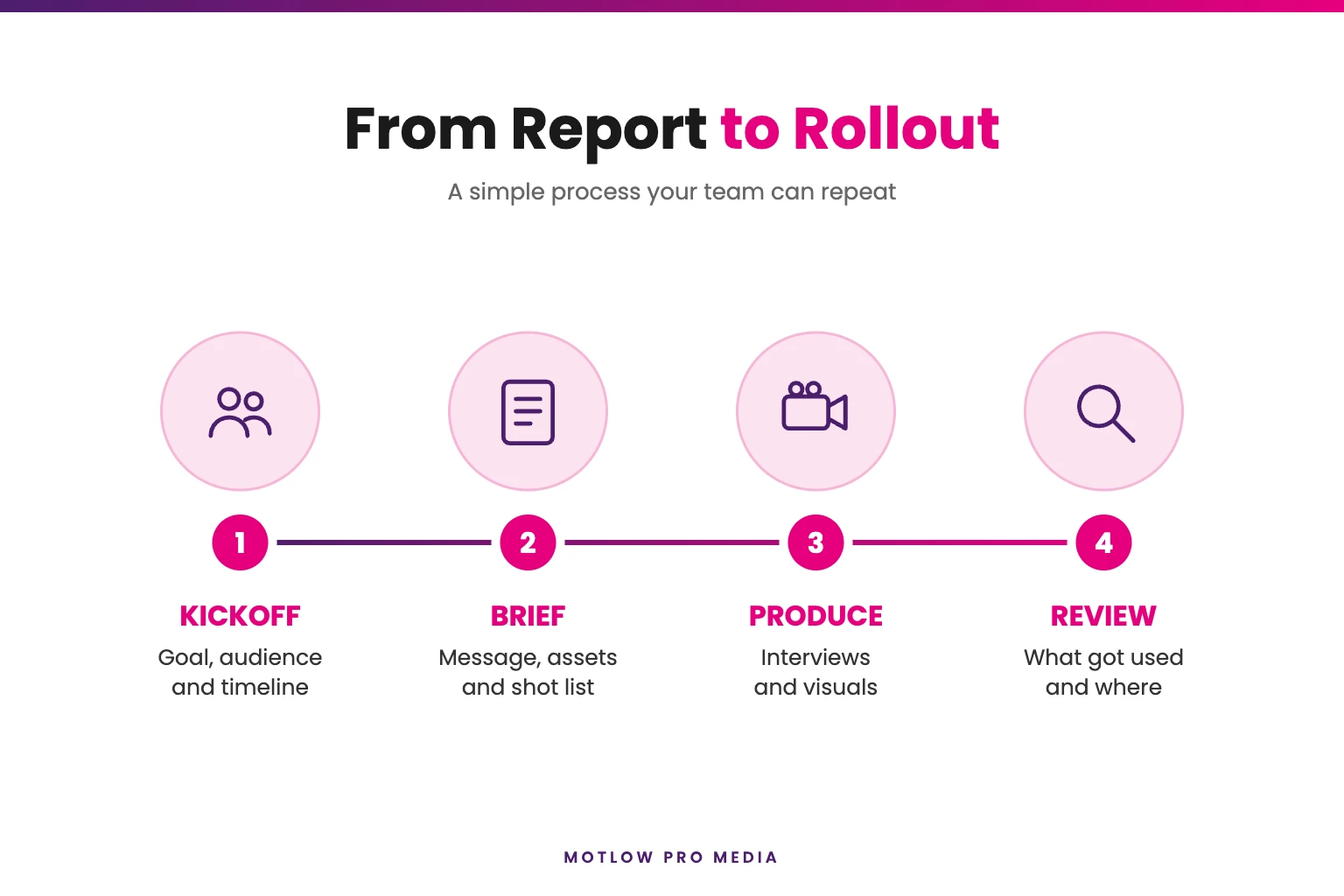
Start with a short working session that includes the marketing owner, the person responsible for production, and any team that will use the final content. Review the goal, audience, timeline, channel plan, and required deliverables before the first shoot, interview, livestream, or event day is scheduled.
For each step above, the team should know four things before production begins:
Who owns the decision
What assets are needed
What approvals are required
Where the finished content will be used
Then create a simple brief that another team member or production partner could execute without digging through old emails. It should list:
The message
Required assets
Speakers or participants
Shot list and locations
Approvals
Distribution plan
Repurposing opportunities
After publishing, review how the content was actually used. Note which assets supported sales, recruiting, internal communication, social media, email, or future planning. That review turns one project into a stronger standard for the next one.
Planning Checklist
Identify the strongest proof points in the report.
Choose speakers who can explain meaning, not just data.
Create short video topics for different audiences.
Use visuals, graphics, and b-roll to support complex information.
Create channel-specific cuts for LinkedIn, email, internal communication, and sales.
Save useful footage for next year’s planning.
Frequently Asked Questions
Should a year-end report become one long video?
Not usually. Most reports work better as a main overview video supported by shorter clips for specific audiences or themes.
Who should appear in a report-based video?
Leaders, department experts, client-facing team members, and employees who can explain the significance of the report in clear language are usually the strongest choices.
Can report videos support sales?
Yes. Strong proof points, customer impact, event outcomes, and process improvements can be edited into sales follow-up clips or proposal support assets.
The Bottom Line
Turning a year-end report into video is not only a content decision. It’s a planning decision that helps companies create media with a clearer purpose, stronger reuse, and better alignment across departments.
When teams plan around audience needs, final deliverables, approvals, and distribution before production begins, the work is easier to execute and more valuable after delivery. The result is a content library that supports marketing, sales, recruiting, events, leadership, and internal communication all year.